
Reflexa used to be five screens you read. Now it is one agent that acts. Here is everything it does, in order — and the honesty rule running through all of it: every number is a count something produced, and what it cannot see it says it cannot see.
Reflexa used to be five screens you read: Recognition, Competitors, Sources, What to Fix and weekly tracking. All five reported; none of them did anything. On 6 October 2026 we stopped asking engines invented questions and rebuilt around the thing that was missing — something that acts.
What follows is everything the agent does, in the order it does it. Each one is a screen you can open today.
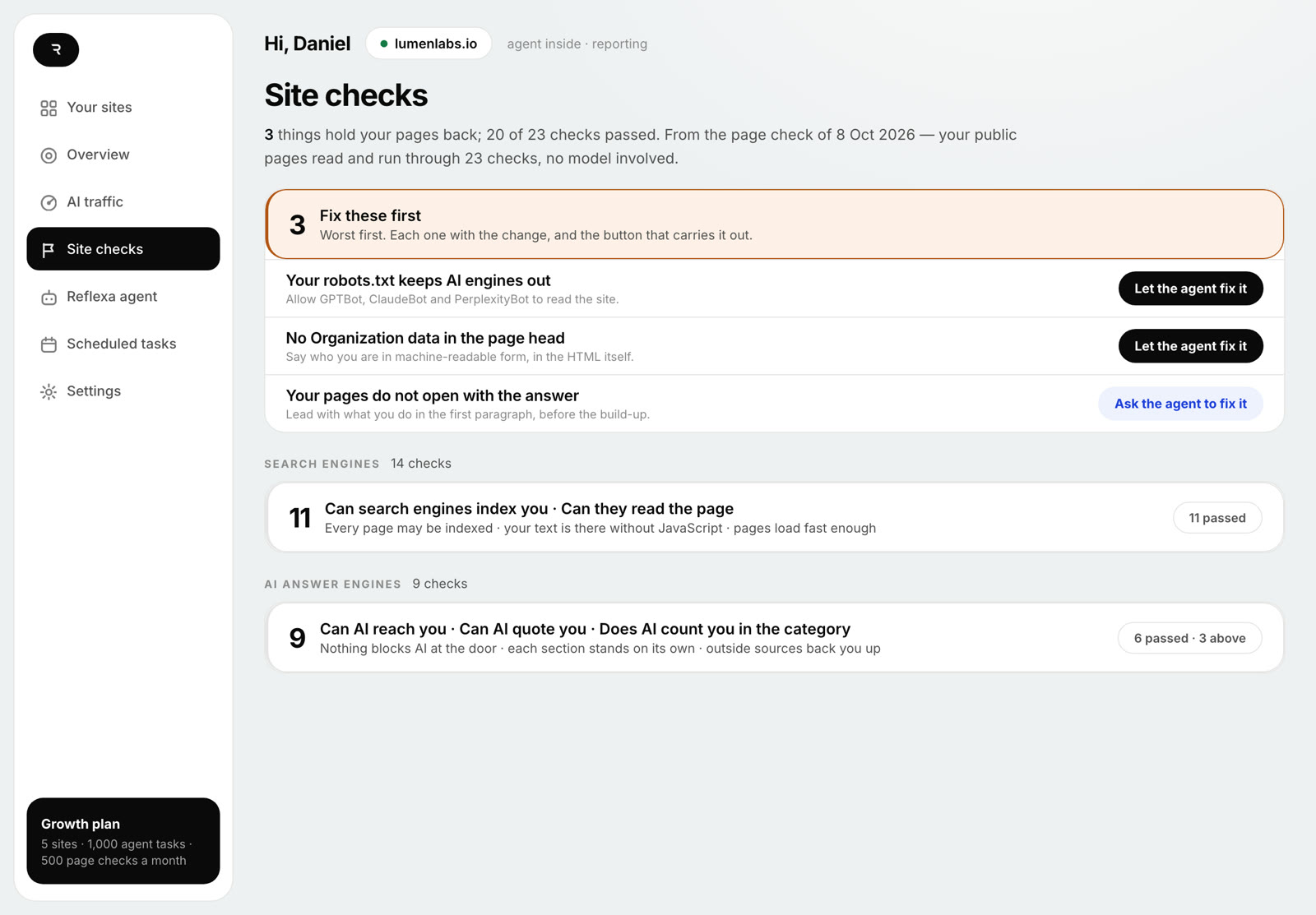
23 structural checks from one crawl of your public pages, in two families: what a search engine needs before it can index and rank a page, and what an answer engine needs before it can quote one. No model is called and no engine is asked anything, which is why it is free and why it runs before you install anything.
What fails comes first, worst first, each with the evidence behind it and the exact change. There is no score — a blocked crawler reads as a blocked crawler, never as 68 out of 100. All 23 checks, one by one →
Four of them, applied on the site itself, one click from you each: crawler access
for the AI fetchers in robots.txt, Organization data in the page
head, the sitemap, and an /llms.txt built from your own page
titles. Every one is reversible — switch it off and the site is exactly as it
was — and nothing is written into your theme or your content.
A page title, the search description, an answer-first opening paragraph, an FAQ block. The agent writes the exact text; you read it in the dashboard, exactly as it will appear; nothing is sent until you press apply. On WordPress the change lands as a revision with the previous value kept, so it can be put back exactly. On a coded site it hands you the words and the file they belong in, because there the text lives in your repository.
Which of your pages an engine opened to answer a real person right then, which it only crawled to learn, and who clicked through from an answer — per page, per engine, per day. The three are never added together, because they mean opposite things: a page crawled a hundred times and never opened to answer anyone is not a success. What that counter sees →
Ask it anything about the site in your own words. It answers from what it actually knows — the checks, the AI visits, Google Search Console — and returns a plan where every item is marked: this one it switches on itself, this one it writes and you approve, this one only a person can do.
Before it answers it reads its own state: whether it is on your site, whether its heartbeat is current, which counters are connected. Ask for something out of reach and it says so and says why, rather than promising it. What it can and cannot do →
Every number is a count something produced — a check, or a request to your own server. Nothing is estimated, nothing is blended into a score, and an absent counter is reported as "I cannot see", never as a zero. That last one sounds small until you are deciding what to do from it.
They were retired on 6 October 2026 with the question checks that fed them. Reflexa invented the questions those screens measured, and measuring an invented question tells you about the question, not about your business. What replaced them is Site checks, AI traffic and the agent.
No. The four switches each need one click from you, and every word it writes is shown to you exactly as it will appear before anything is sent.
The 23 structural checks are, in a free account — they run from outside your site and cost us nothing. The agent acting on the site is part of the paid plans.
The product: Reflexa Agent · how it works · på svenska